


 Digital download
 One-time purchase
 Free tech pack bonus
The same blank canvas. Again.
Redrawing similar garment shapes takes attention away from the part that makes the collection yours.
FROM CONCEPT TO COLLECTION
A design starting point for your next collection. Explore silhouettes, build your visual direction and organise the details — without rebuilding everything from scratch.

LESS FRICTION. MORE DESIGN.
Redrawing similar garment shapes takes attention away from the part that makes the collection yours.
Scattered downloads and inconsistent mockups make it harder to build a collection that feels connected.
A strong visual concept still needs clear details before you can discuss it with a manufacturer.
Your ideas are moving. Your workflow should too.
01 / THE WORKFLOW
Start with structure. Make it your own.
Choose a shape that fits the direction of your next drop.
Develop your own colours, graphics and garment details in compatible software.
Use the tech pack structure to organise the specifications you need to discuss.

A CLOSER LOOK
See the product in action before you make it part of your workflow.
02 / INSIDE THE BUNDLE
A broad visual library. One place to begin.

COLLECTION BUILDING
Bring tops, bottoms and accessories into one visual direction.

GARMENT DETAILS
Explore garment shapes and get a clearer view of the details.

YOUR CREATIVE SIGNATURE
Build a look with colours and graphics that belong to your brand.

MORE WAYS TO CREATE
Expand your concepts across more pieces in your next drop.
Preview artwork shows example designs. Actual editability depends on the file format and your software.
03 / YOUR FREE BONUS
Take your concept beyond the mockup with structured tech pack templates included in your purchase.
Add your specifications and review them with your manufacturer before production.
Get the bundle + free bonus FASHION TECH PACK TEMPLATE BUNDLE
04 / YOUR WORKFLOW
Choose the right files for your tools. Check your app’s import options before purchase.
Work with editable vector paths using compatible AI and SVG files.
AI / SVGUse PNG artwork in your composition. Vector imports may be rasterised; a native PSD is not assumed.
PNG / IMPORTImport PNG artwork to develop concepts on your iPad. Imported artwork is raster, not editable vector paths.
PNG / iPADUse compatible PNG or SVG imports where supported. Features and editing options depend on your app and plan.
CHECK IMPORT SUPPORTSoftware is not included. Vector editing and raster importing offer different capabilities. Browse and buy on your phone; editing requirements depend on your application and device.
THE DRIPKIT STUDIO BUNDLE

A flexible starting point for your creative direction, with a tech pack bonus to help organise the next step.
Checkout handled by Shopify
Digital product. No physical item will be shipped. Download access is provided after payment confirmation.
BEFORE YOU GET STARTED
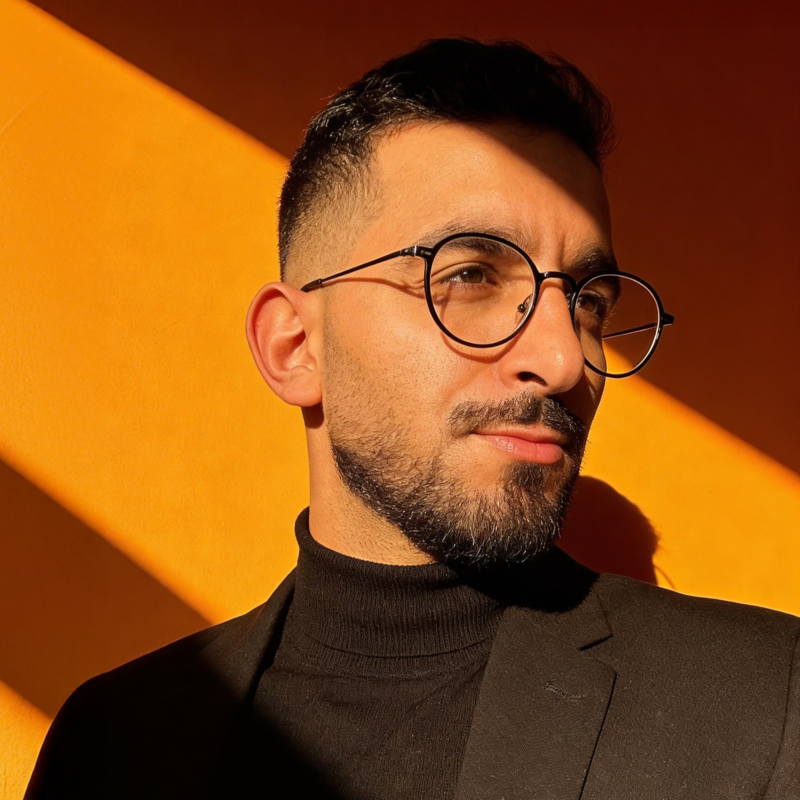
05 / THE PERSON BEHIND IT
Mehdi Khaddar is a freelance graphic designer based in Casablanca, Morocco. Since 2017, he has helped entrepreneurs, small businesses and brands develop professional visuals and distinctive brand identities.
His work spans branding, graphic design and web design. Dripkit Studio brings that attention to visual direction into a focused resource for your next creative project.
FROM THE COMMUNITY
Overall rating: 4.8 / 5 from 4 reviews.

Love the product it’s very helpful
Fast delivery and pack is loaded with maybe for than you would need but it’s all there for you! Good quality as well!
A time saver for my procreate coloring pages. Really brings my pictures to life!
Perfect mockups + tech pack! Just as described in the description, loads of accessories and details that are included! Highly recommend!
06 / FAQ & CONTACT
LET’S CLEAR THINGS UP
Tell us what you need to know. For an existing purchase, include your order number.
support@dripkitstudio.com Garment sketches & construction notes
 Checkout handled by Shopify
